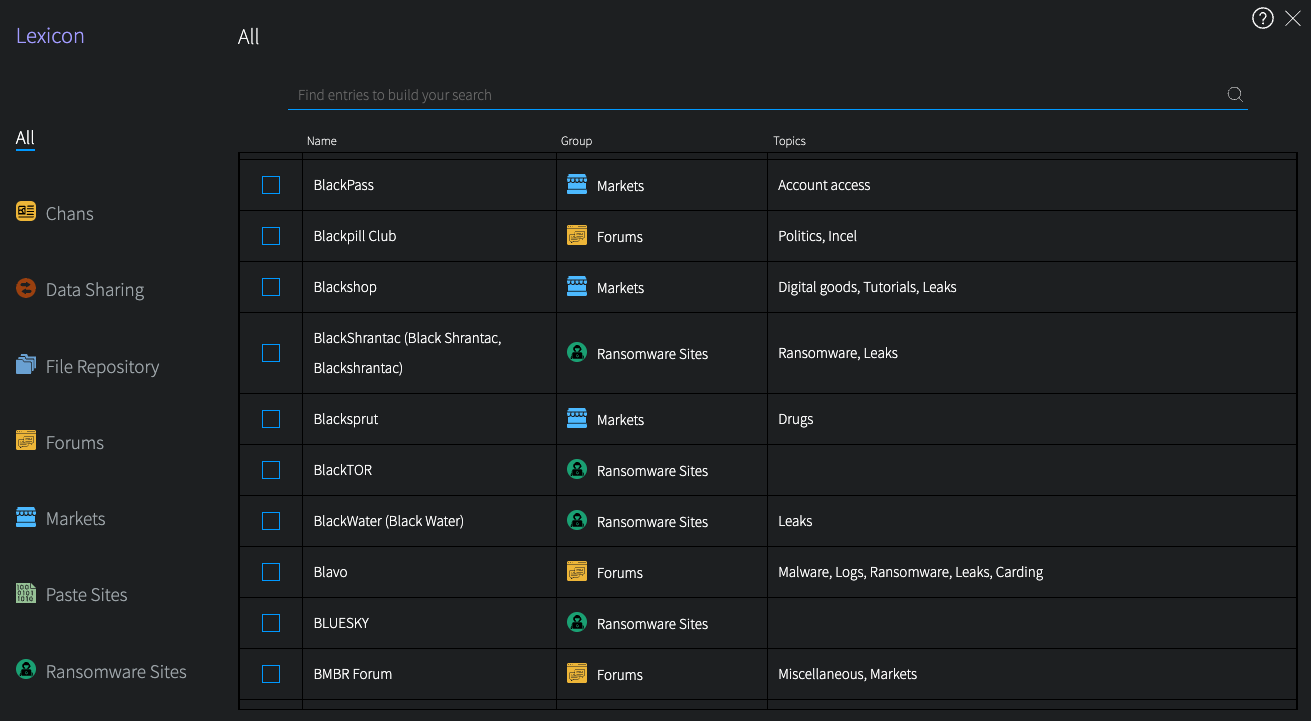
DarkOwl Vision’s Lexicon is an easy-to-use tool intended to help you find interesting content from hacking forums, marketplaces, and other darknet sites. While not an exhaustive list of sources in our data, it’s a good place to get started. The Lexicon continues to grow as we add more content and hear from our customers. Make a suggestion at any time for sites you’d like us to add at https://www.darkowl.com/lexicon.
Click on the right Lexicon icon on the Search Bar to open the Lexicon. To find an entry in the Lexicon, start typing to filter through all entries, or select a Group from the left and scroll through the section. The search field will search all columns (Name, Group, Topics).
Clicking once next to your desired entry(ies) will immediately add the entry(ies) to the search bar. Click once to include, click twice to exclude.
Click the > icon, or anywhere outside of the modal, to go back to the Search Bar. In the screenshot below, we’ve selected Dread and Exploit.in forums, which will filter results to content from only those two forums. You can run the search with just the Lexicon entries, or add more keywords to your search.