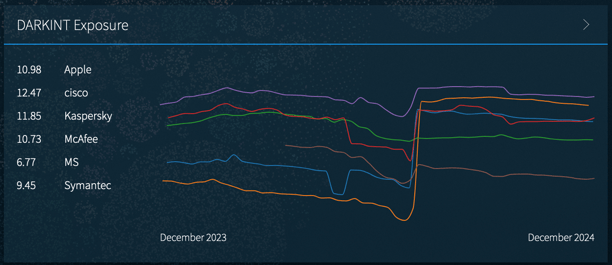
Access your Track: Exposure page from the Track top navigation icon, or from the Dashboard. The Dashboard gives an at-a-glance view of all organizations you have set up. Click on an organization name to access more detail on the Track: Exposure page.
On the Track: Exposure page, hovering over the different points on the visualization will display the score inputs below the visualization.
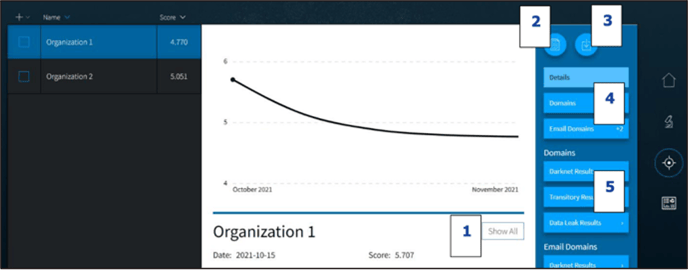
- Select the Show All button to compare the current organization with others that are set up.
- Click the Report icon to generate a PDF an Exposure Score Report for the latest score.
- Click the Download icon to download a CSV of all the scores and associated inputs that were generated for this organization.
- Click the Domain and Email Domain buttons to see the inputs used in the formula.
- Click the buttons below Domains or Email Domains to see the results that generated the score.