
Query Builders help you format commonly searched items that either require special formatting or work best when submitted with variations, in order to make the most inclusive search to find the best results. Once you’ve selected the type of builder and input text in the appropriate field(s), you can either Add to Search, or Set Up Monitors. Clicking Add to Search will format the query and place it in the search bar. You can continue to add filters, date ranges, or other advanced options before submitting the search.
Individual Descriptions and Add to Search
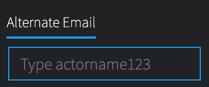
Alternate Email: When searching for email addresses a threat actor may be using with another provider, entering an email prefix with a trailing wildcard can be a helpful search. For example, entering the prefix of Conti44 in the Query Builder will finds results for conti44[at]hotmail.com, conti44[at]hotmail.il, conti44[at]tutonota.com, and so forth. These may be potential associated or alternate email addresses. An example of the query builder input and resulting query is included below:
- Input: Conti44
-
Query: email:Conti44@* OR email:Conti44*
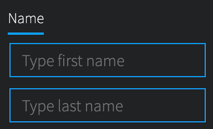
Name: When searching for first and last names, we recommend using a proximity search, with up to 2 words as a distance. This can help find variations such as "last, first" or "first middle last" (even when the middle name is unknown).
-
Input (first name): Danger
-
Input (last name): Actor
-
Query: "Danger Actor"~2
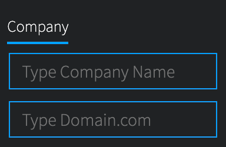
Company: When searching for company mentions on the darknet, we recommend using both the company’s name and domain in the same query. This query builder will construct a search to find results that have your company’s name or any mentions of its domain (as a Website Mention or email domain). An example of the query builder input and resulting query is included below:
- Input (Company Name): DarkOwl
- Input (Domain.com): darkowl.com
-
Query: ("DarkOwl" OR websiteMention:darkowl.com OR email.domain:darkowl.com)
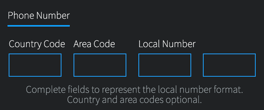
Phone Numbers: When searching for phone numbers, we recommend preparing a query without spaces and with spaces between number groups. Enter the portions of your phone number in the form below; at a minimum, enter the local portion of the number. An example of the query builder input and resulting query is included below:
- Input (Country Code): 1
- Input (Area Code): 303
- Input (Local Number): 111
- Input (Local Number): 2222
-
Query: 13031112222 OR "1 303 111 2222"
Set Up Monitors Feature
Clicking Set Up Monitors (from Query Builders or Entity Search Blocks) will prompt you to select pre-built searches that will automatically save and start monitoring, notifying you when new results are found. Choose the searches you’d like to create and click Confirm.
You can change any of the default settings by clicking the Edit icon by the search name.