
DarkOwl Vision UI to Search API Field Map
Base search options:
- Search bar
- Next page of results
- Sort options
- De-duplicate result sets
- Using date parameters
Searching for tokenized entities in results:
- Find credit card numbers within documents
- Find social security numbers within documents
- Find email addresses within documents
- Find email addresses from a domain in documents
- Find IP addresses within documents
- Find cryptocurrency addresses within documents
- Find website mentions within documents
Using filters:
- Filter to results from a data leak
- Filter to results from a data source
- Filter to results classified as a particular group
- Filter to results scored with Hackishness
- Filter to results in a certain language
- Filter to results from a particular domain
- Filter to results that have particular entities in them
- Filter to results that have a certain number of entities in them
Additional response options
DarkOwl Vision UI to Entity API Field Map
Base entity options:
- Email Domain
- Address
- BIN
- Credit Card
- IP Address
- Cryptocurrency
Pagination:
- Get Next Page of Results
Filter options:
- Using Date Parameters
Get source document:
- See Full Result using Search API
DarkOwl Vision UI to Search API Field Map
Base search options (Search)
Search bar
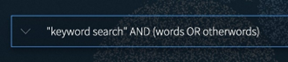
Any text that goes directly into the search bar in the UI goes directly into the 'q' field. All keywords, Boolean operators, etc. Note: All API examples in this document are shown before URL encoding.
| UI | API |
|
Search Bar |
'q' |
|
|
/api/v1/search?q="keyword search" AND (words OR otherwords) |
Next page of results
By default, a page in both UI and API are 20 results. To go to the next 'page' via API, do the exact same search but with offset=20 for the second page, offset=40 for the third, and so on.
| UI | API |
|
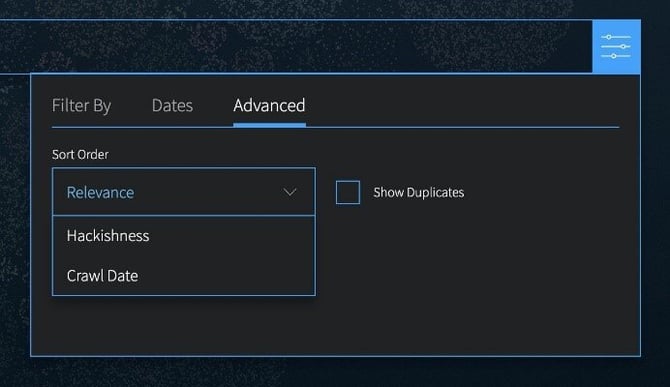
Filters -> Advanced -> Sort |
'sort' |
|
|
/api/v1/search?sort=r (Relevance) /api/v1/search?sort=d (Crawl Date) /api/v1/search?sort=h (Hackishness) |
De-duplicate result sets
| UI | API |
|
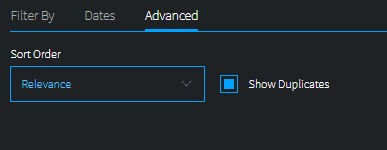
Filters -> Advanced -> Show Duplicates Box checked - similar=true Box unchecked -similar=false |
'similar' |
|
|
/api/v1/search?similar=true /api/v1/search?similar=false |
Using date parameters
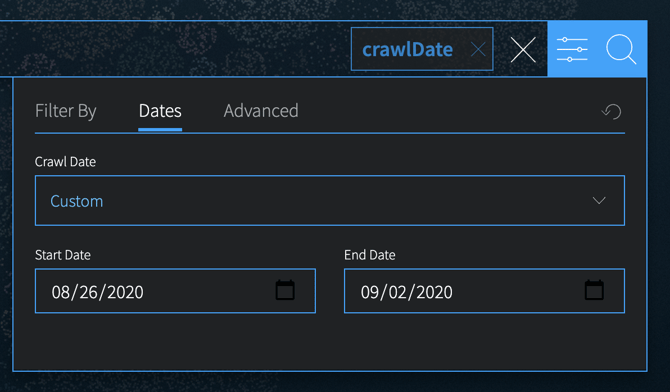
Use 'to' and 'from' together to form a range, or just set 'from' to a period in the past (i.e. 6 hours) to find all documents found in the last 6 hours. Keep in mind that while crawl date in the UI is displayed in local time, the API parameters and crawlDate field returned are in UTC.
| UI | API |
|
Filters -> Dates |
'to' and 'from' |
|
|
/api/v1/search?from=2020-08-26T00:00:00Z&to=2020-09-02T00:00:00Z |
Searching for tokenized entities in results (Search):
Find credit card numbers within documents
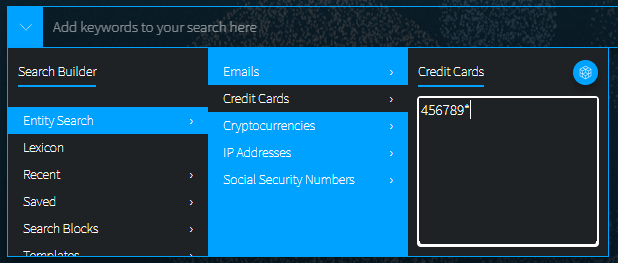
Full credit card number or BIN searching is available in both the UI and API. For full credit card numbers, type the number in the Credit Card search builder. For BIN searching (example below), type the BIN digits and a wildcard character (*) in the Credit Card search builder.
| UI | API |
|
Search Builders -> Entity Search -> Credit Cards |
'ccn' |
|
|
/api/v1/search?ccn=456789* |
Find social security numbers within documents
| UI | API |
|
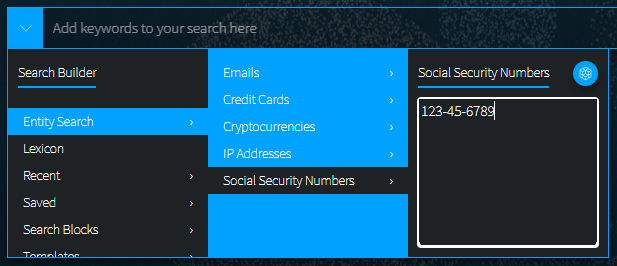
Search Builders -> Entity Search -> Social Security Numbers |
'ssn' |
|
|
/api/v1/search?ssn=123-45-6789 |
Find email addresses within documents
| UI | API |
|
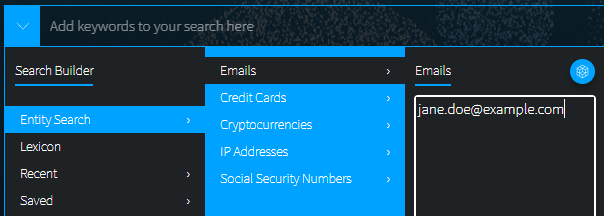
Search Builders -> Entity Search -> Emails |
'email' |
|
|
/api/v1/search?email=jane.doe@example.com |
Find all email addresses from a domain within documents
| UI | API |
|
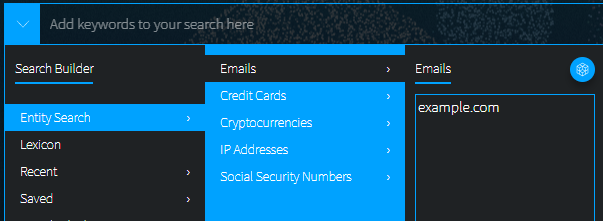
Search Builders -> Entity Search -> Emails |
'emailDomain' |
|
|
/api/v1/search?emailDomain=example.com |
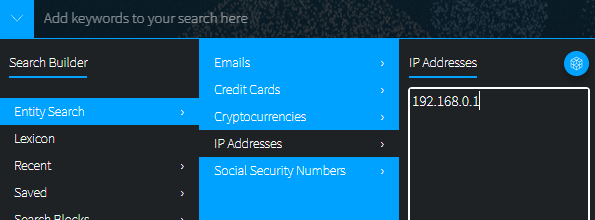
Find IP addresses within documents
For API, you can use either the 'ipAddress' field or just use the q field.
| UI | API |
|
SSearch Builders -> Entity Search -> IPs |
'ipAddress' or 'q' |
|
|
/api/v1/search?ip=192.168.0.1 /api/v1/search?q=192.168.0.1 |
Find website mentions within documents
| UI | API |
|
Search Builders -> Entity Search -> Website Mentions |
'websiteMention' |
|
|
/api/v1/search?websiteMention=example.com |
Using filters (Search):
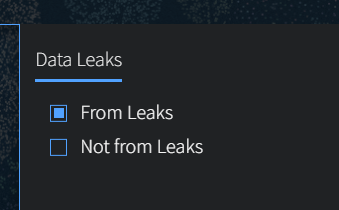
Filter to results from a data leak
| UI | API |
|
Filters -> Data Leaks |
'leak' |
|
|
/api/v1/search?leak=any /api/v1/search?leak=-any |
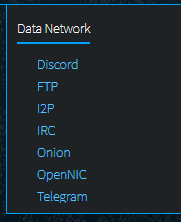
Filter to results collected from a data network
| UI | API |
|
Filters -> Data Network |
'source' |
|
|
/api/v1/search?source=onion
Other source values are: discord, ftp, i2p, irc, onion, openNIC, telegram, zeronet |
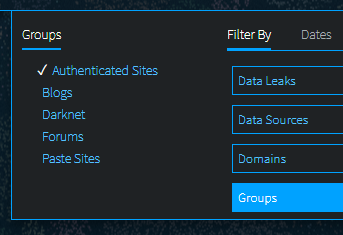
Filter to results classified as a particular group or type
| UI | API |
|
Filters -> Groups |
'group' |
|
|
/api/v1/search?group=authenticated Other group values include: blogs markets chans pastes darknets ransomware forums
|
Filter to results scored with Hackishness
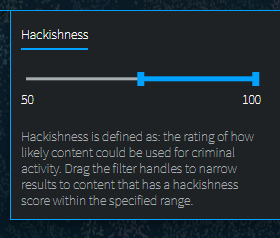
Hackishness in the UI is displayed as a percentage value, but it's really a floating point value between 0 and 1. Hackishness of "50%" in the UI is equivalent to 0.5 in the API.
| UI | API |
|
Filters -> Hackishness Range Slider |
'hack_min' and 'hack_max' |
|
|
/api/v1/search?hack_min=.15&hack_max=.80 |
Filter to results in a certain language
| UI | API |
|
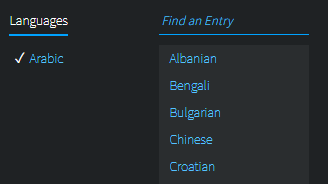
Filter by -> Languages |
'lang' |
|
|
/api/v1/search?lang=Arabic
|
Filter to results that were collected from a particular domain
| UI | API |
|
Filters -> Source Domains |
'domain' |
|
|
/api/v1/search?domain=qzb2oj5d.onion |
Filter to results that have particular entities in them
| UI |
API |
|
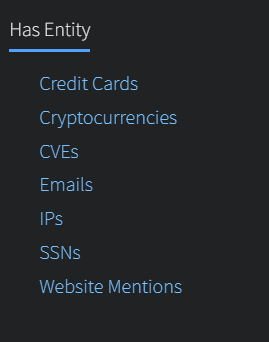
Filters -> Has Entity |
'has' |
|
|
/api/v1/search?has=email /api/v1/search?has=ssn /api/v1/search?has=ccn /api/v1/search?has=cryptocurrency /api/v1/search?has=ip /api/v1/search?has=website |
Additional Response Options (Search):
The following API parameters can be used according to your preference. The DarkOwl Vision UI uses the following defaults:
- req (false)
- detail (full)
- count (20)
- highlight (true)
- empty (false)
DarkOwl Vision UI to Entity API Field Map
Base entity options (Entity):
Email Domain
Use to search for all email addresses belonging to one domain or one subdomain. Search for the domain portion only; do not include @ symbols, etc.
| UI | API |
 |
/api/v1/entity/email-domain?domain=darkowl.com |
Email Address
Use to search for a single email address. Use the /email-domain endpoint to search for email addresses across an entire domain.
| UI | API |
 |
/api/v1/entity/email-address?address=support@darkowl.com |
BIN
| UI | API |
 |
/api/v1/entity/bin?bin=123456 |
Credit Card
| UI |
API |
 |
/api/v1/entity/ccn?ccn=12345678909876 |
IP Address
| UI | API |
 |
//api/v1/entity/ip-address?address=192.68.0.0 |
Cryptocurrency
|
UI |
API |
 |
/api/v1/entity/crypto-address?address= 0x3c02be3ae8f34199762bd82c3fa2d837ac924f56 |
Pagination (Entity):
When a query has more than one page of results, a nextPage value will be returned in the API response. The results in your first page of results are the most recent results in the DarkOwl Vision dataset. This value can be passed back through the nextPage parameter to receive the next page of results.
| UI | API |
 |
/api/v1/entity/nextPage=[valuereturned] |
Filtering Options (Entity):
Using Date Parameters
Use 'to' and 'from' together to form a range, or just set 'from' to a period in the past (i.e. prior 7 days). Keep in mind that while crawl date in the UI is displayed in local time, the API parameters and crawlDate field returned are in UTC.
| UI | API |
|
Filters -> Dates |
'to' and 'from' |
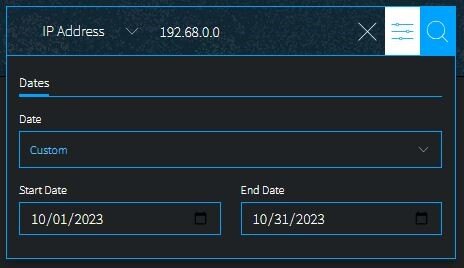 |
/api/v1/entity/ip-address?address=192.68.0.0& from=2023-10-01T00:00:00Z&to=2023-10-30T00:00:00Z Date parameters are available in all entity endpoints; example shown is ip address. |
Get source document (Search/Entity):
See Full Result using Search API
Enrichment Option: The Entity endpoint will return a snippet from the full document, along with an id value. This id value references the original document in which the entity was discovered. If part of your API subscription, this id value can be passed to the Search API endpoint in order to retrieve the full document result.
| UI | API |
|
See Full Result |
Use id value with Search API q field |
 |
/api/v1/search?q=[idvalue] |