
Entity and Chat Users View Switches
If present in the Body, View Switches for Entities (Emails, Cards, Cryptocurrencies, CVEs, IP addresses, SSNs, Website Mentions) or Chat Users will appear on the right panel of an open search result.
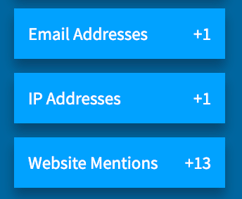
View Switches will only appear if the search result includes the. As an example, if there are no emails in the result, the Email Addresses View Switch would not appear.
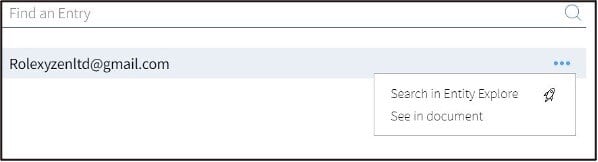
Clicking on the button will show you a list of those values. Click directly on an item to jump to where that item is located in the Body, or use the drop-down menu  for other pivoting actions you can take.
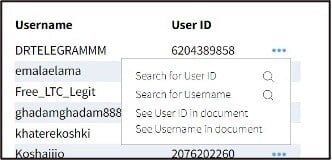
- For Chat Users, you will see a menu that allows you to quickly search for the User ID or Username. Searching for the User ID can help you find alternate usernames.
- For CVEs, you will see a menu that allows you to pivot to See in Mitre. This will open a new browser tab and read more about the CVE from Mitre’s cve.org website.
- For Emails, Cards, Cryptocurrency, and IP Addresses, you will see a menu that allows you to quickly look up that item in Entity Explore.
Context View Switches
Search results may also have Context View Switches for Sites or Leaks, depending on the source of the result. The Research: Markets section also includes Vendor Context on market listings that have vendor usernames. Use the links below to navigate to articles in our Knowledge Base: